2. Installation Guide of Panoply
2.1. Download Panoply
Panoply software can be obtained from the NASA website: https://www.giss.nasa.gov/tools/panoply/download/ with the version of Panoply 4.12.5, released on 2021-04-01.
Important
The current version of Panoply is 5.2.9, released 2023-07-31.
Download the Panoply software according to the operating system (OS) used, namely:
Macintosh (macOS),
Windows OS, or
Linux operating systems.
2.2. Install and Run Panoply
Panoply software installation stages:
1. Make sure the PC has the Java 9 Runtime Environment (JRE) application or the latest version installed.
Warning
If Java has not been installed correctly, an error message will always appear when starting the Panoply application program.
2. Uncompress the files that have been downloaded by specifying them folder/directory to be used.
3. After carrying out the extraction (according to point 2), the results will be obtained as follows:
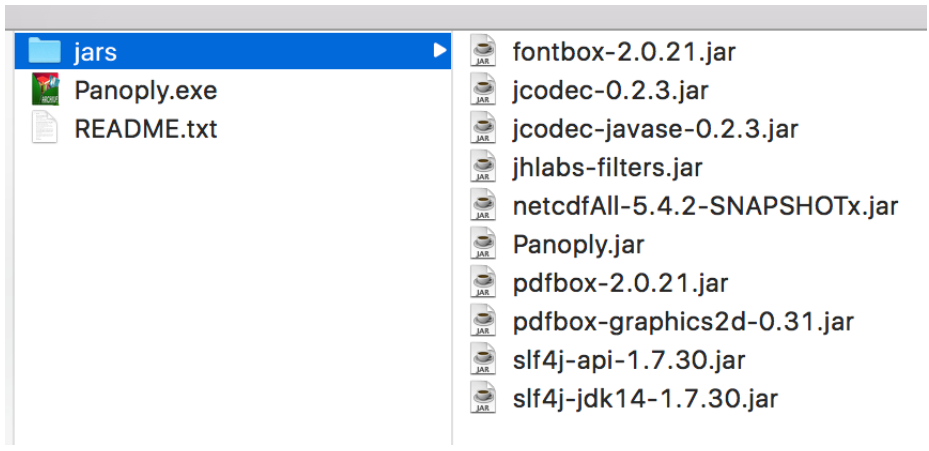
after extraction
Then, examine the README text file for a description of Panoply, including a guide on how to launch Panoply and other important information. The jars folder contains the application code files required for Panoply visualization. For this reason, you need to pay attention that the jars folder is in the same directory/folder as panoply.exe.
Meanwhile, panoply.exe is used to start the Panoply application program.
4. To start, double-click panoply.exe, so the Panoply application will open.
At this stage, Panoply is ready to be used to load the dataset.